Skip to content
Built for Palestine · Arabic first

Your books keep themselves:every order from WhatsApp, Messenger and the till lands in the ledger

Full double-entry accounting that takes your sales from every channel and every branch, and matches them to the till and the bank. You read the numbers on your phone; your accountant finds every entry with its source.

  • 14 days, every feature
  • No card
  • Move from your old system
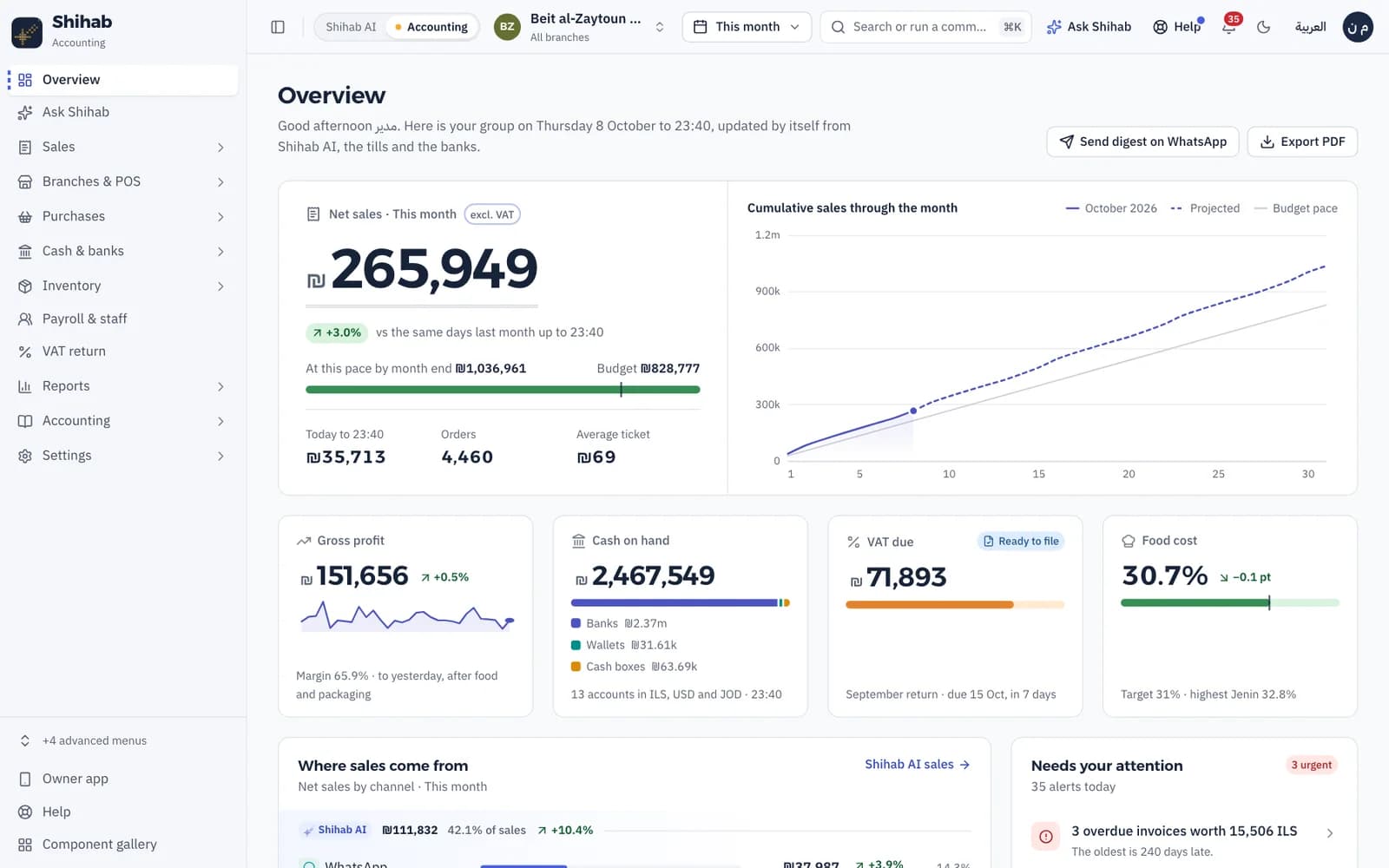
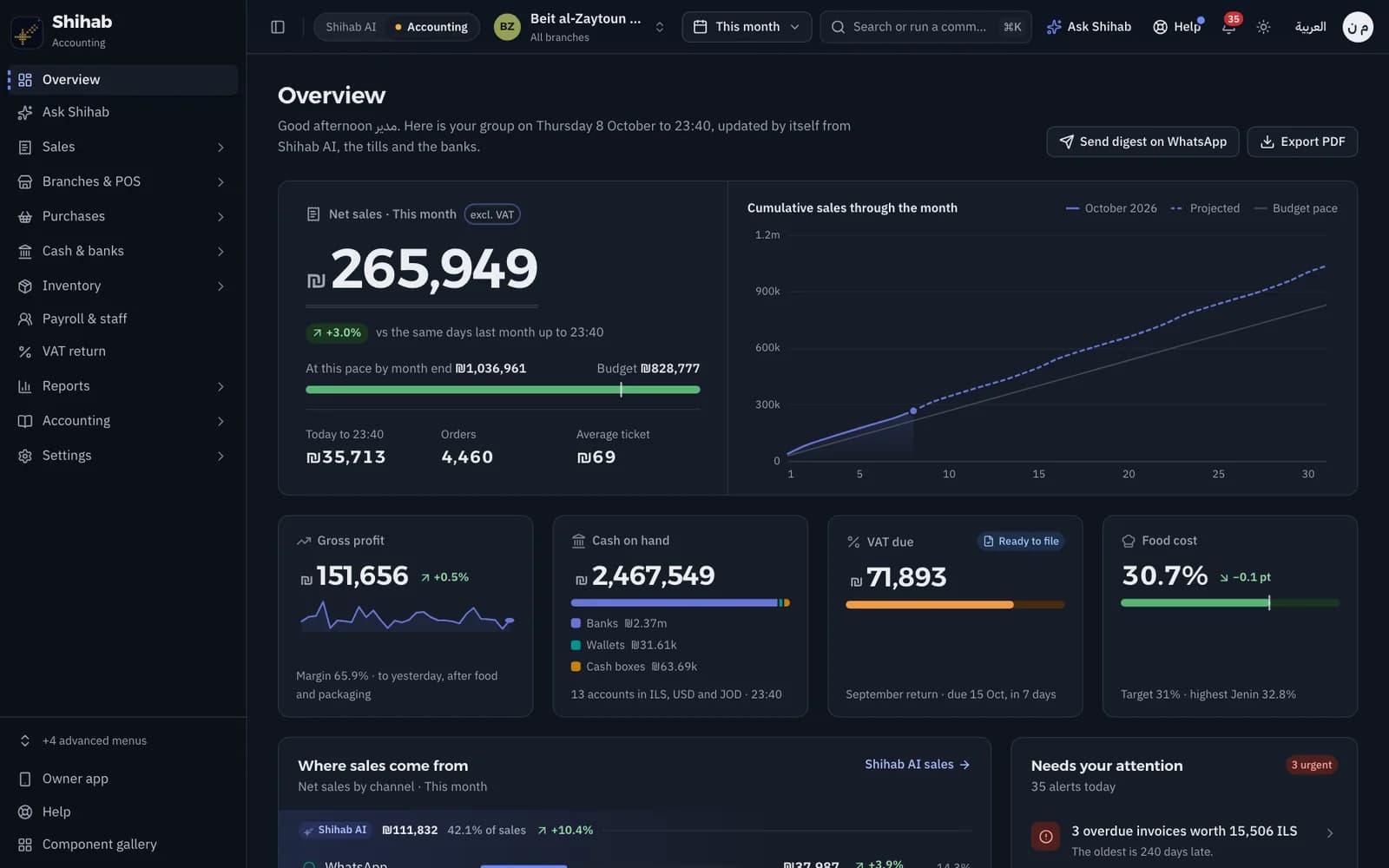
The Shihab Accounting overview: net sales, cash, VAT due and food cost for Beit al-Zaytoun Restaurants
Today's summary
Beit al-Zaytoun · Nablus branch
Thursday 08/10/2026
  1. WhatsAppOrder 2041₪86.00
  2. MessengerOrder 2042₪54.50
  3. TillReceipt 1187₪23.00
  4. InstagramOrder 2043₪112.00
  5. Phone callOrder 2044₪67.00
  6. Delivery appOrder 88213₪95.00
Total₪437.50
of which VAT 16%₪60.34
Posted to the books

One summary entry per branch and channel, VAT split out

Sales arrive from
  • WhatsApp
  • Messenger
  • Instagram
  • Ordering page
  • Phone calls
  • The till
  • Delivery apps
  • Banks and wallets

From the order to the books, with nobody typing it

In many restaurants today an order is written once at the till, again in a notebook and again in a spreadsheet at the accountant's. In Shihab Accounting it is written once.

  1. The order comes in

    A customer orders on WhatsApp or Messenger through Shihab AI, or the till closes a receipt. The order arrives with its channel, branch and payment method.

  2. It lands in the books

    Each day one summary entry posts per branch and channel, VAT split out, every order one click away. Any till difference goes to a variance account with the person and the shift on it.

  3. You see it on your phone

    A daily summary on WhatsApp, an app for iPhone and Android, and Ask Shihab for any question about your numbers, in your own words.

Every channel books itself, and you know what each one earns

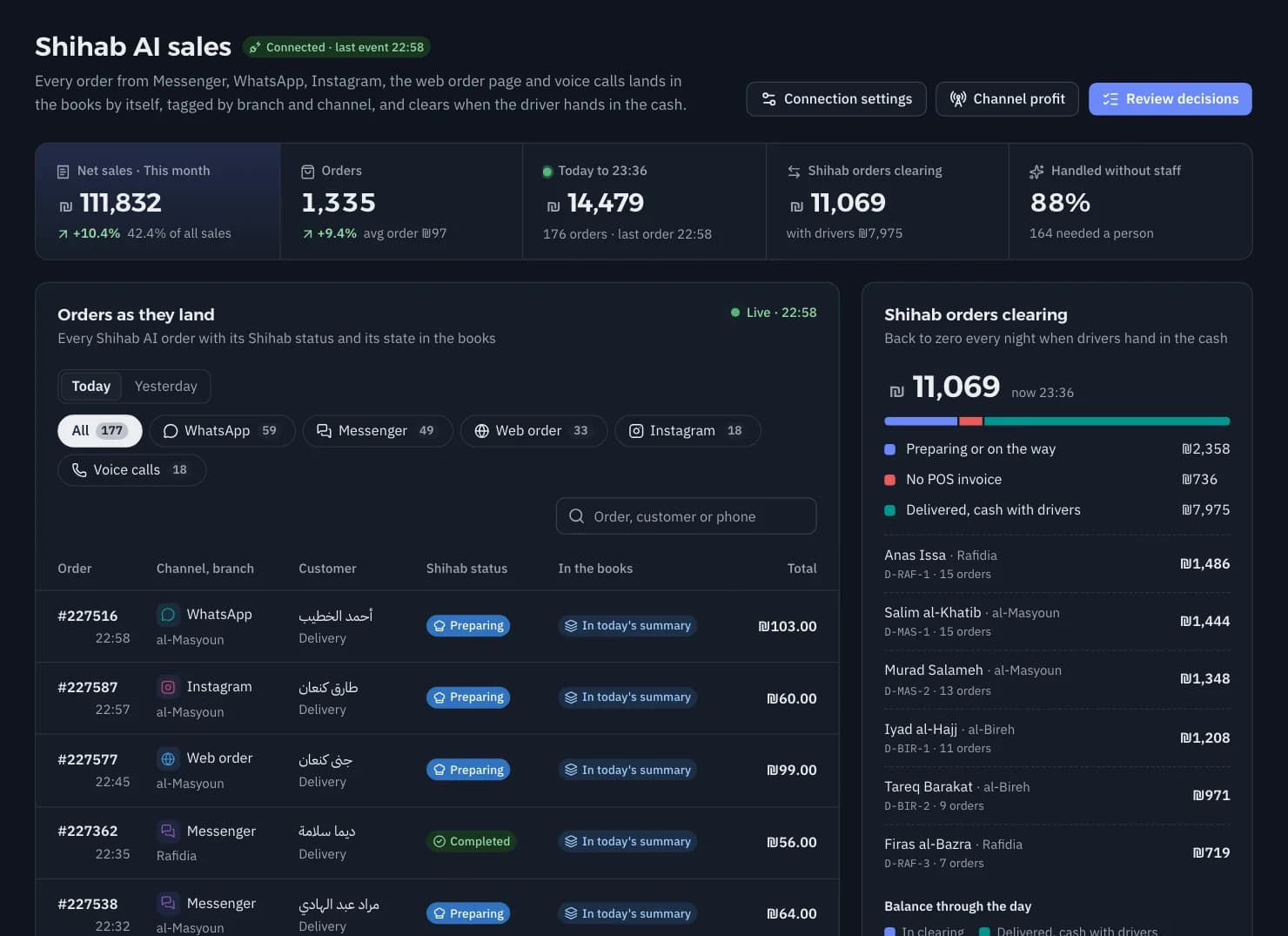
Orders from WhatsApp, Messenger, Instagram, the ordering page and phone calls through Shihab AI arrive with the order number, branch, area and payment method. You see which channel sells most, and which earns most after delivery and payment fees.

  • One order from two feeds stays one sale: the till and Shihab AI never count it twice
  • Delivery apps, cards and wallets settle against the bank statement
  • Profit by channel after fees, day by day
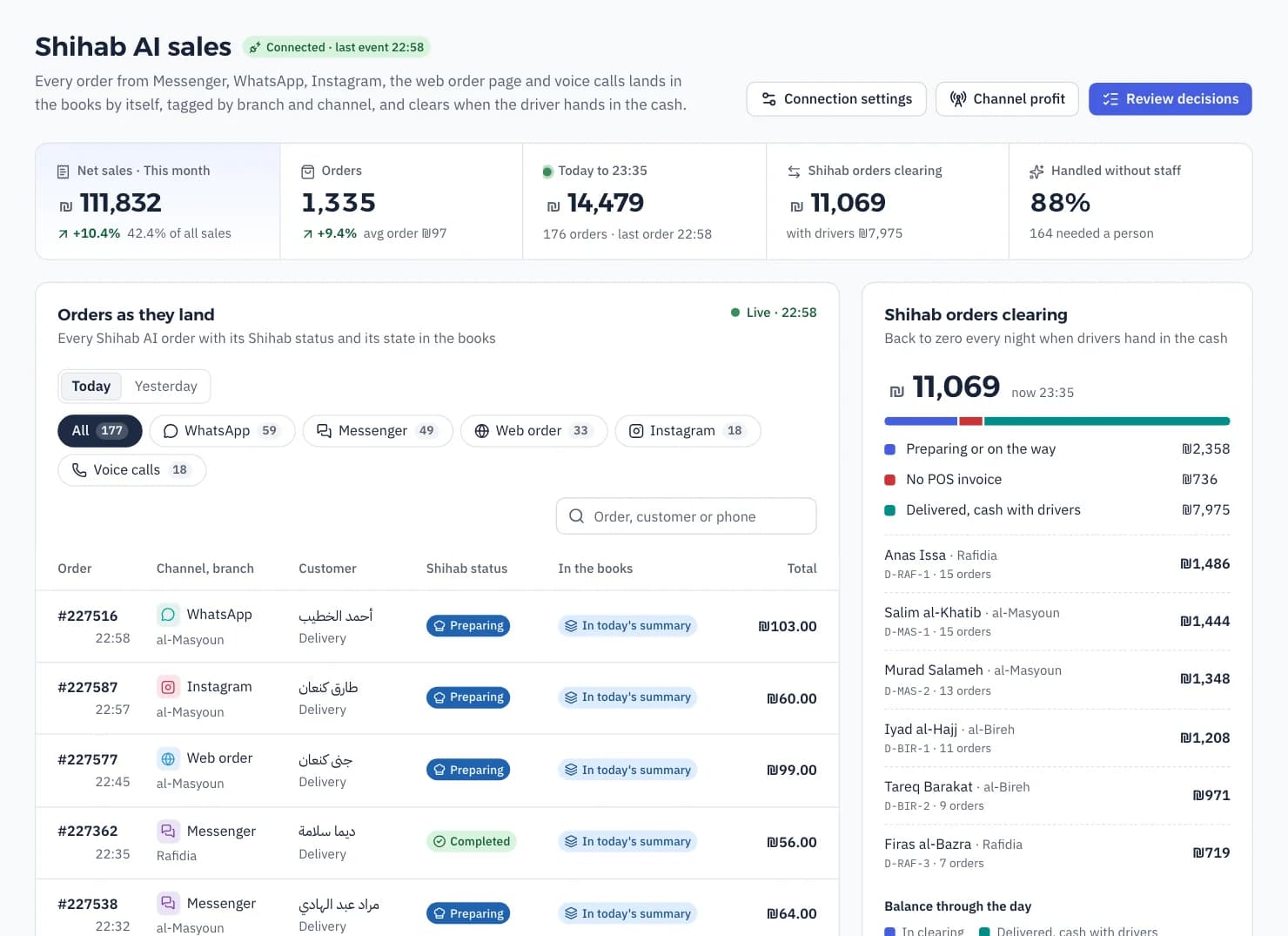
Shihab AI sales: orders by channel and branch with their posting status

A touch till, and the kitchen ticket prints by itself

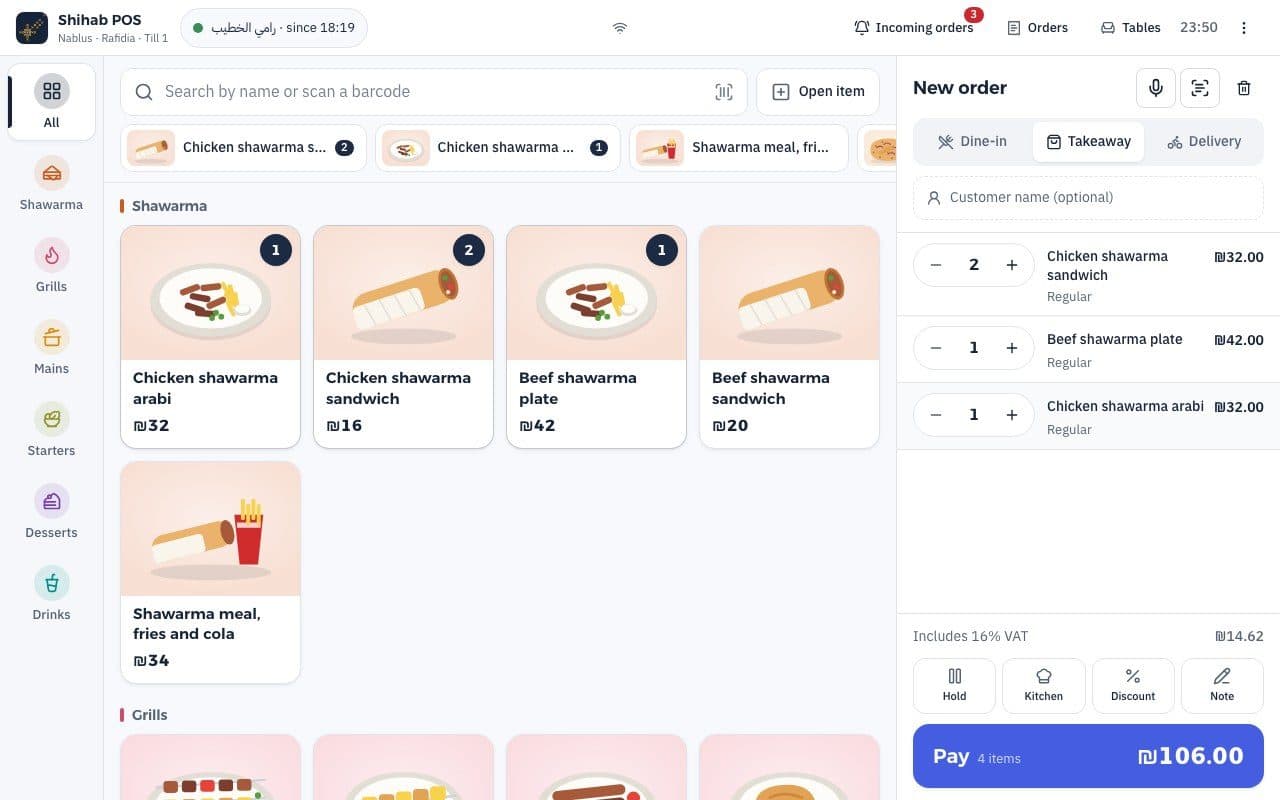
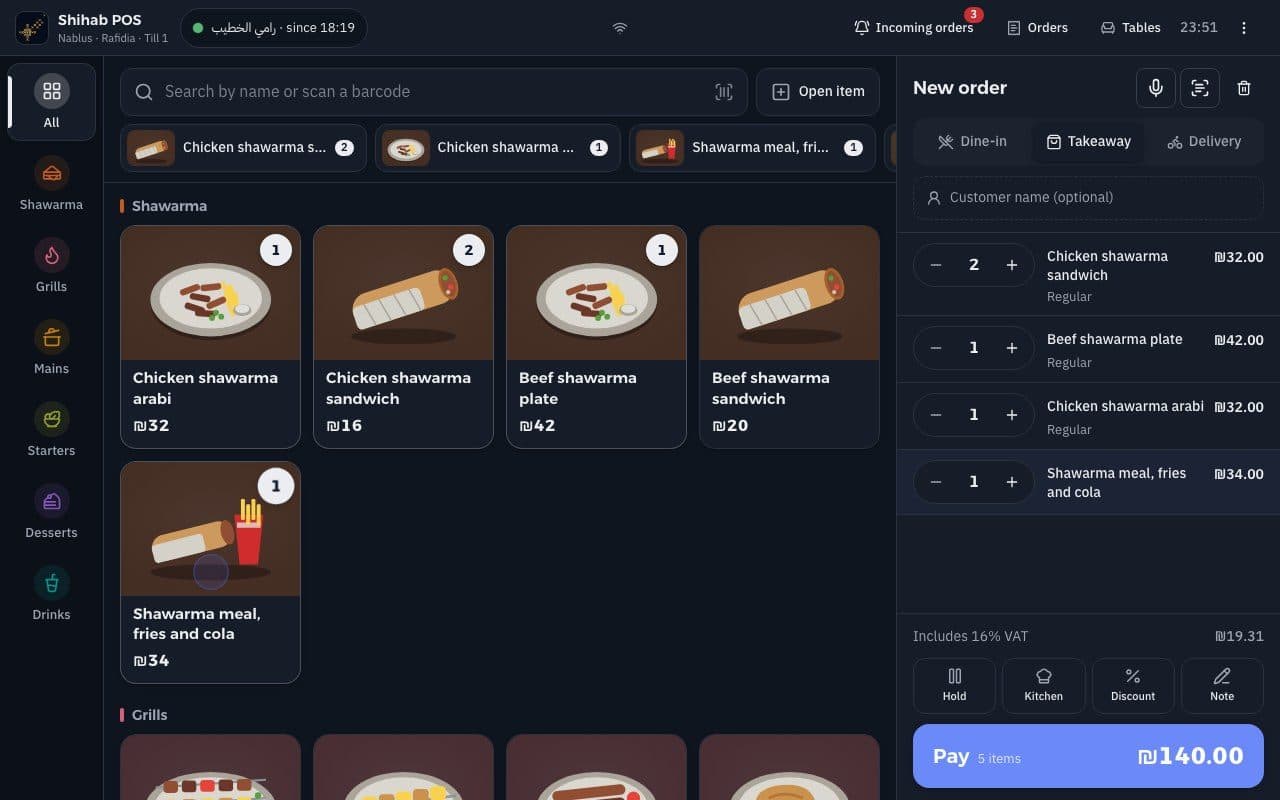
A till for restaurants and shops: items with photos, modifiers, dine-in, takeaway and delivery, cash in shekels, dollars or dinars with change, cards and wallets. The customer's receipt prints, the order goes to the kitchen printer, and the sale lands in the same shift and the same books.

  • On a tablet, a touch screen or the waiter's phone
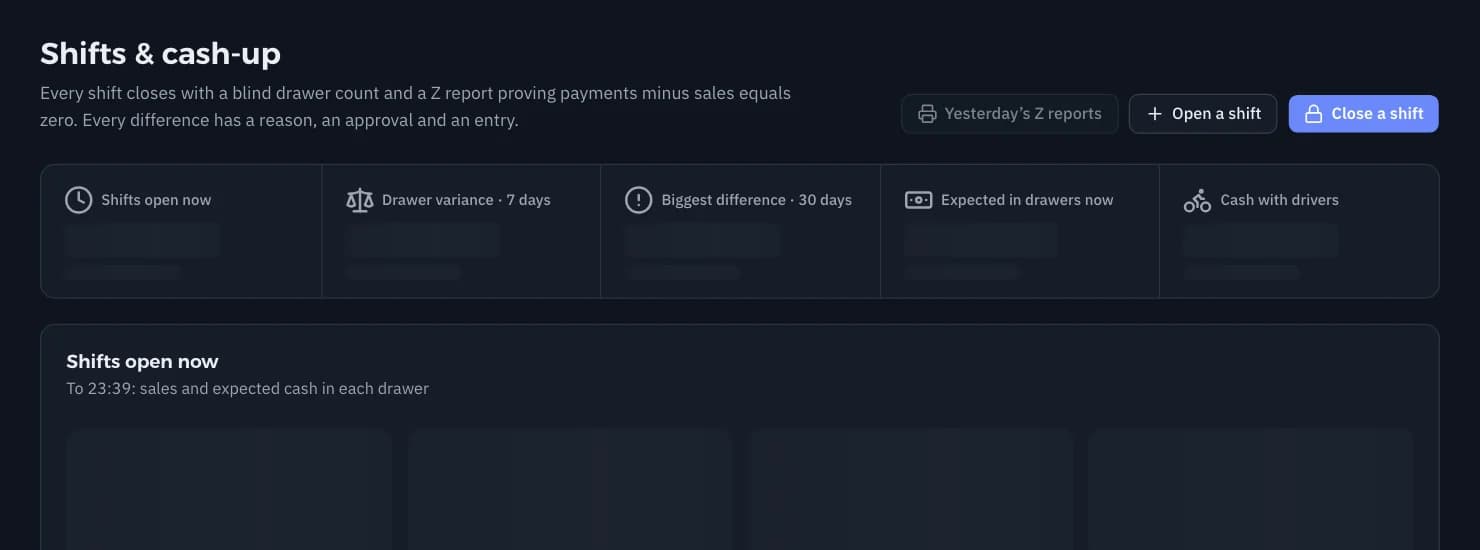
  • Open and close shifts with a blind count and a Z report
  • Orders by voice or from a phone
Shihab till: item tiles with photos, the cart and payment

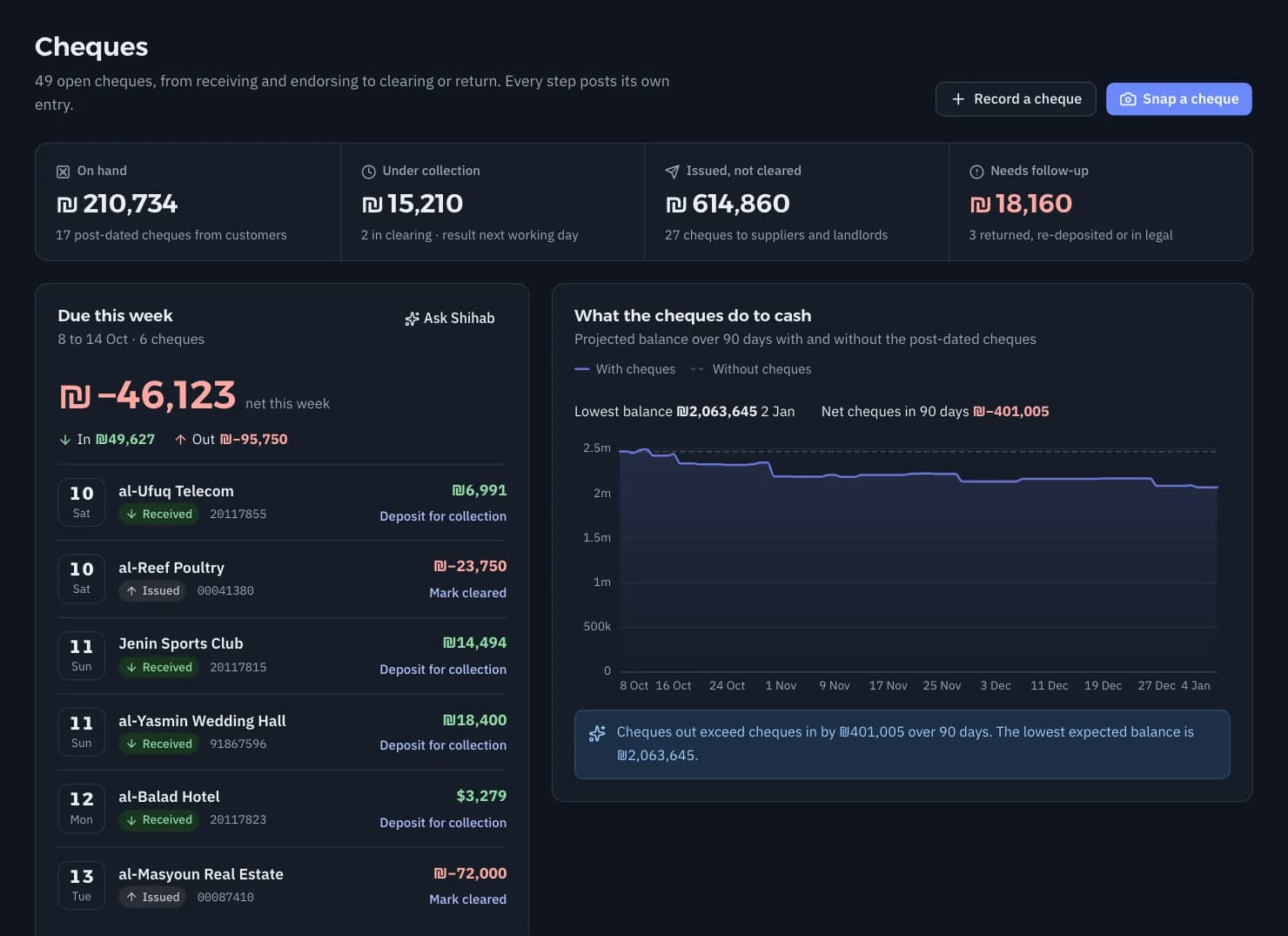
Post-dated cheques, from received to collected

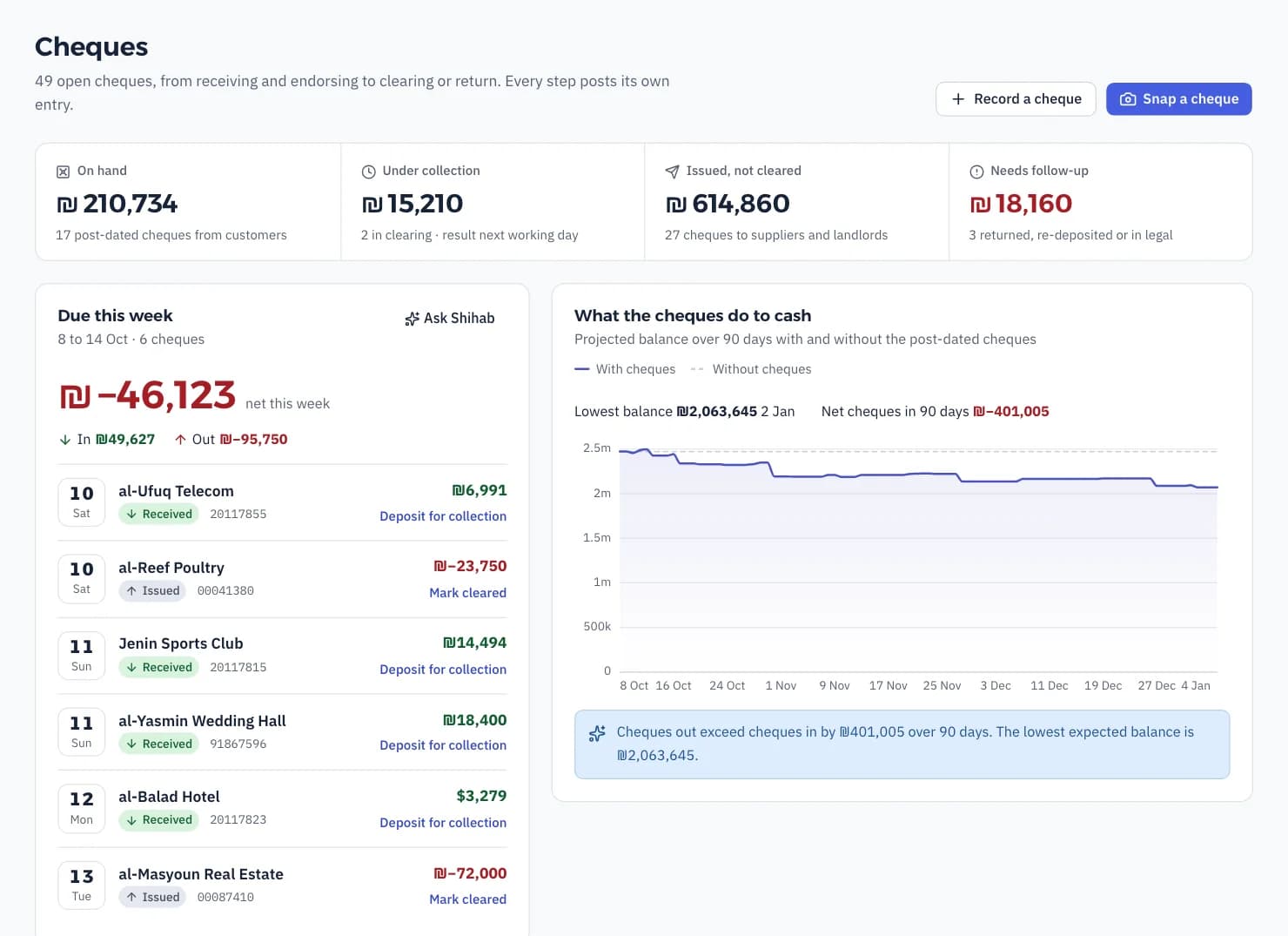
Every cheque has a clear state: on hand, endorsed, under collection, collected, returned. You see what is due this week at each bank, and you photograph a cheque with your phone while Shihab reads the number, bank, date and amount.

  • Cheques in and out in one register, every move with its entry
  • A returned cheque goes back to its drawer with the bank fee
  • Endorse a cheque to a supplier in one step
The cheque register: incoming and outgoing cheques with their states and due dates

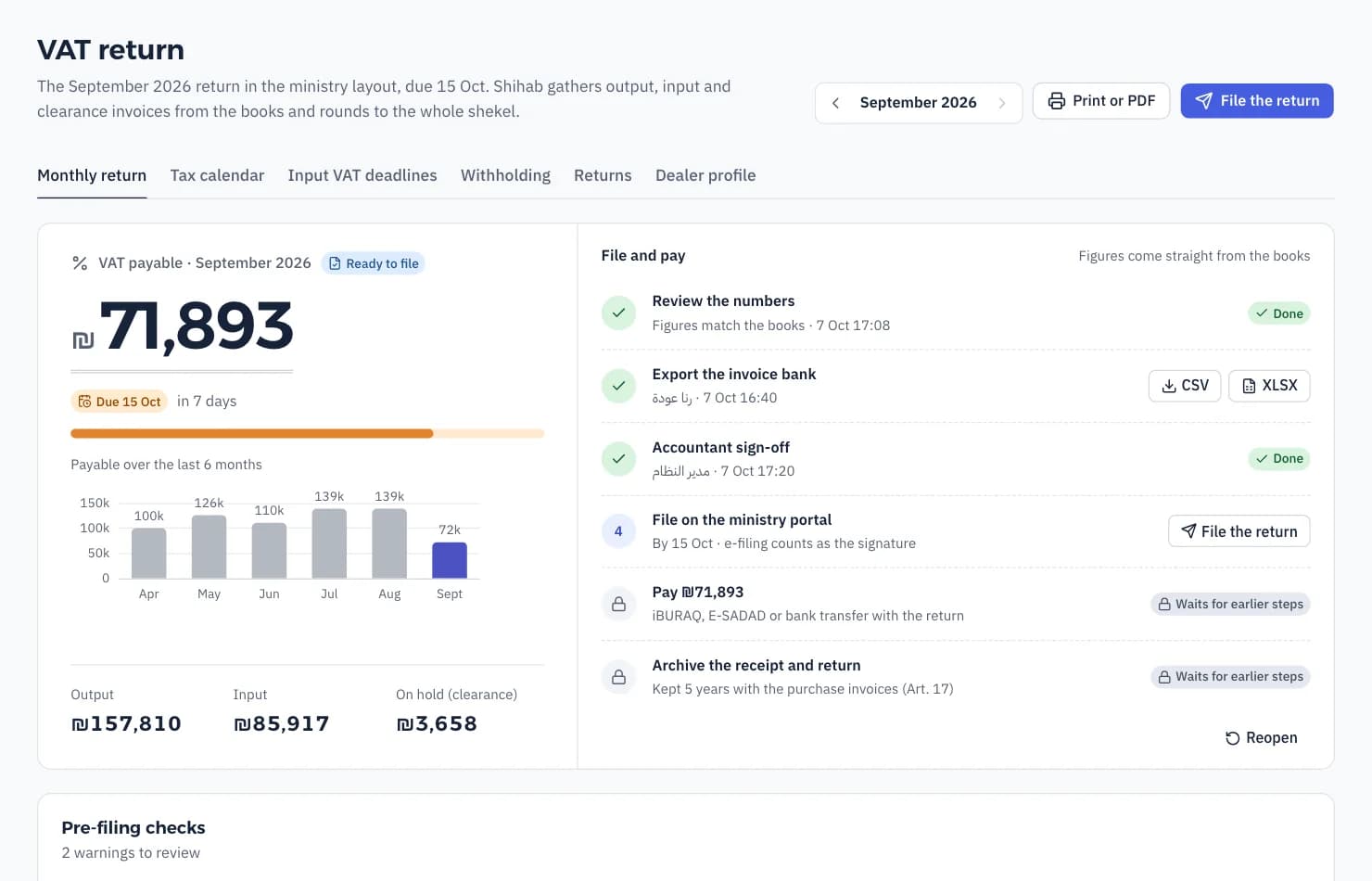
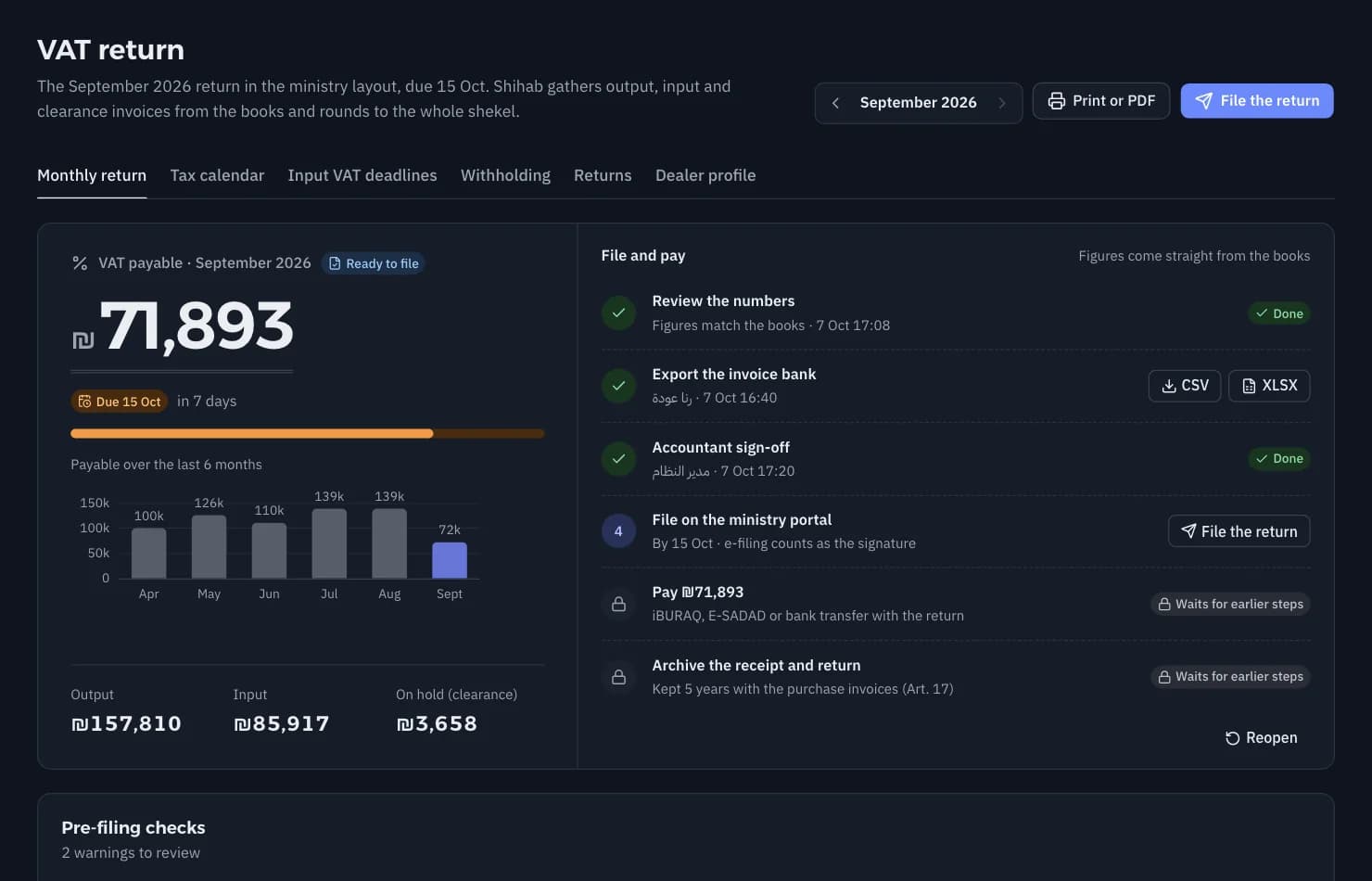
VAT and clearance invoices, in the official layout

The monthly return in the same order as the official form, and every figure opens the invoices behind it. Clearance invoices are their own document type, the invoice bank exports ready, and you get a reminder before input VAT runs out of time to claim.

  • Arabic tax invoices with the amount in words
  • The tax calendar with its due dates on the overview
  • Exempt dealers get their annual report
The VAT return: sales, purchases and VAT due

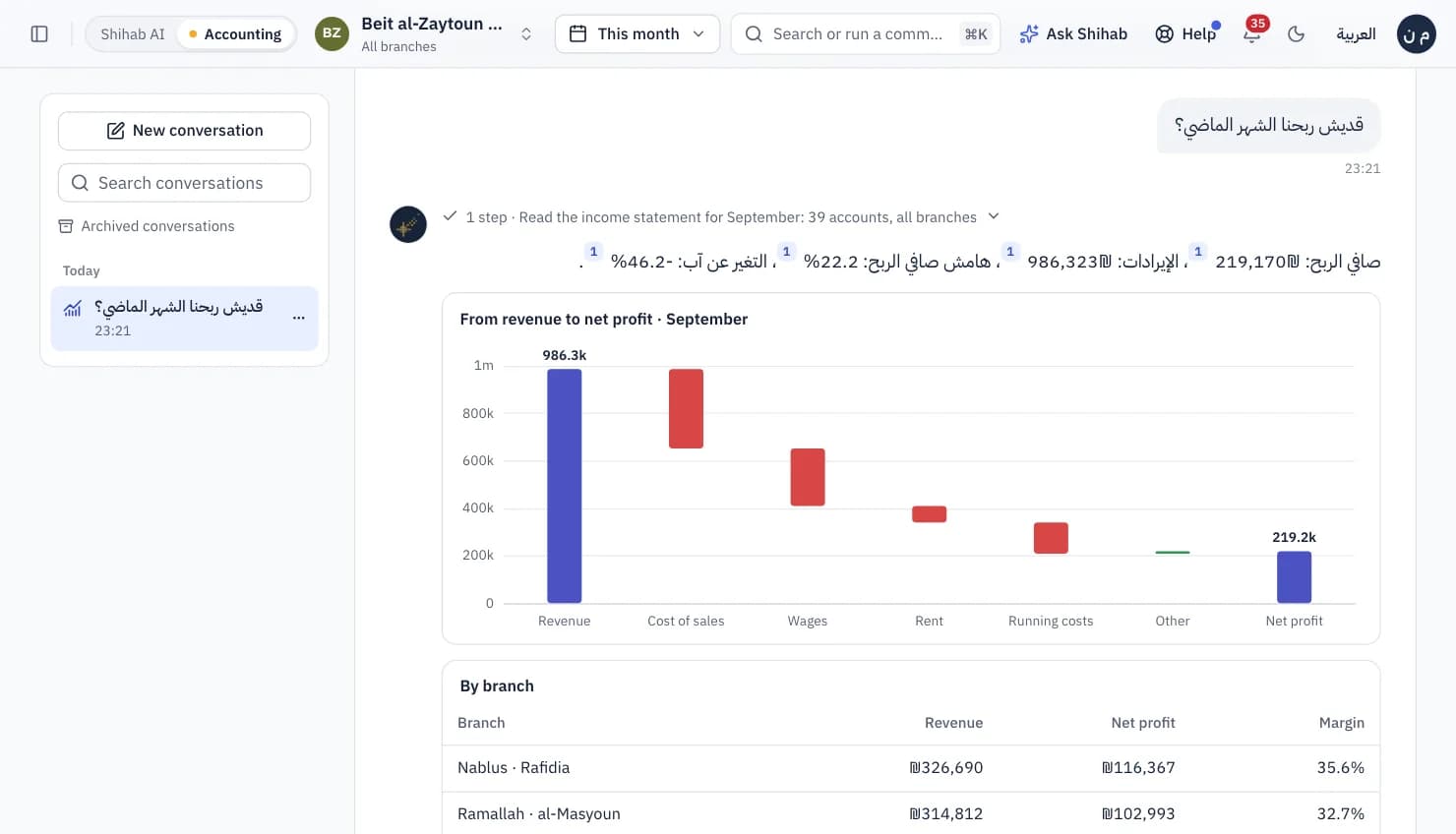
Ask Shihab in your own words, even out loud

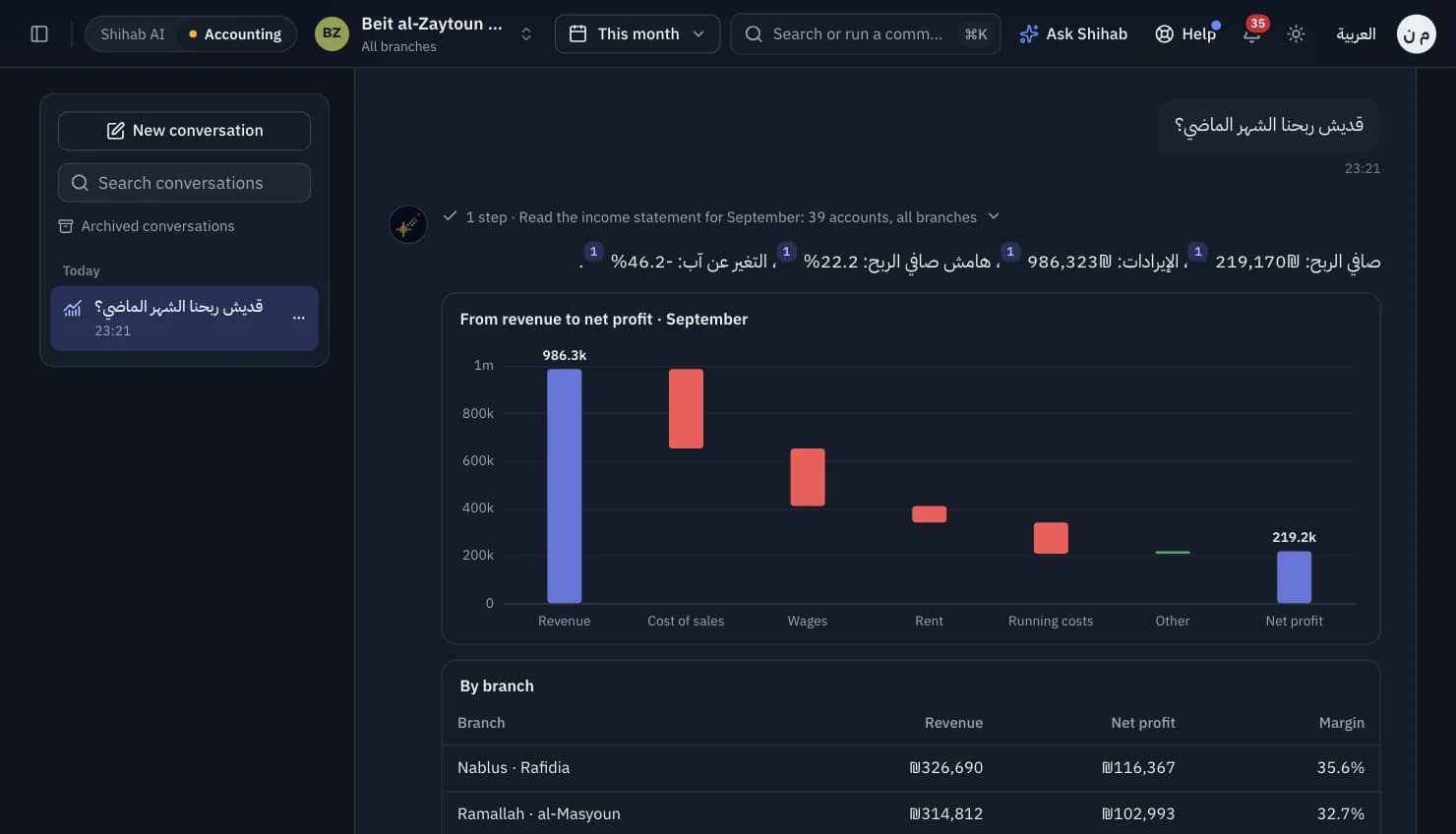
"Why was the Jenin till short yesterday?" "How much did we make from WhatsApp this month?" Shihab answers from your books with figures and charts, and you can talk to it while you drive. The system does the arithmetic, never a guess, and every answer shows its source.

  • It proposes, you decide: no entry posts without approval
  • Send a supplier invoice photo on WhatsApp and it becomes an expense ready to approve
  • An alert when a branch till is short or a cheque comes due
Ask Shihab: a question in dialect and an answer with figures from the books

Also inside

What the owner needs every day, and what the accountant needs at month end.

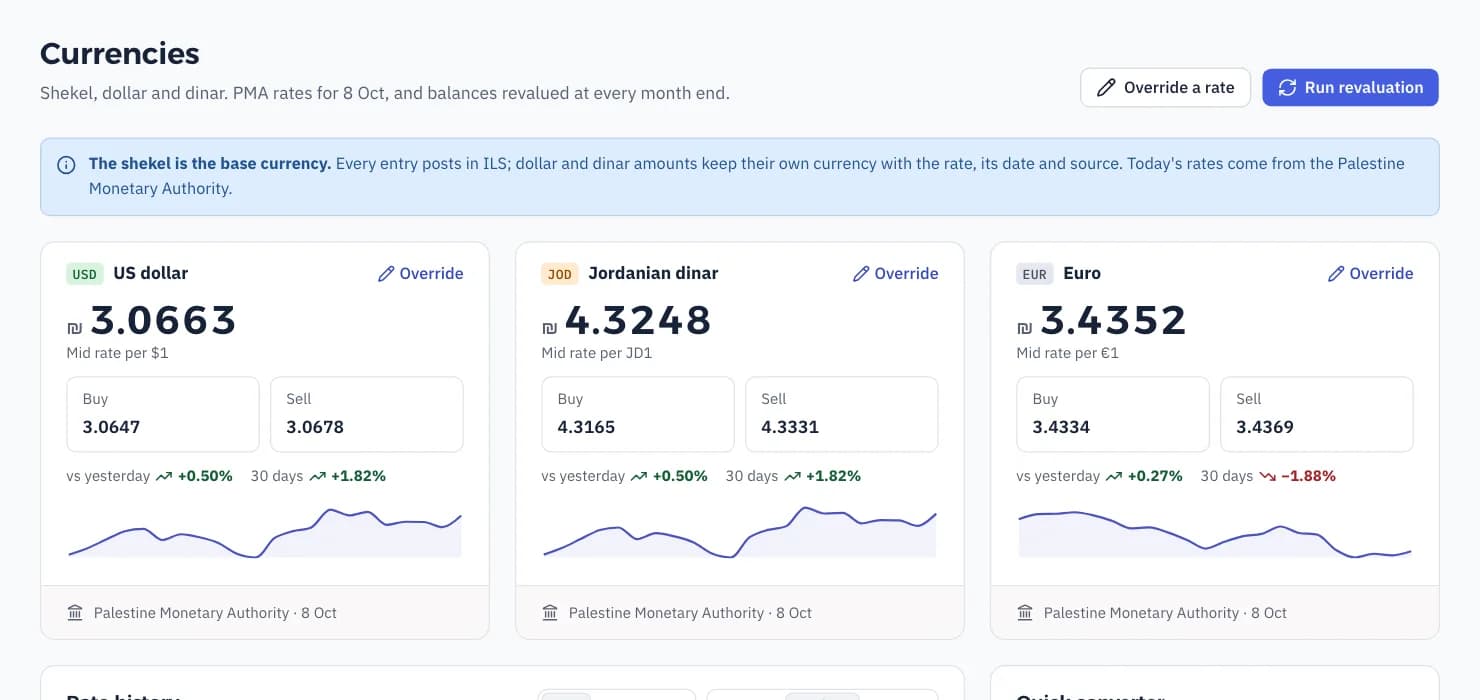
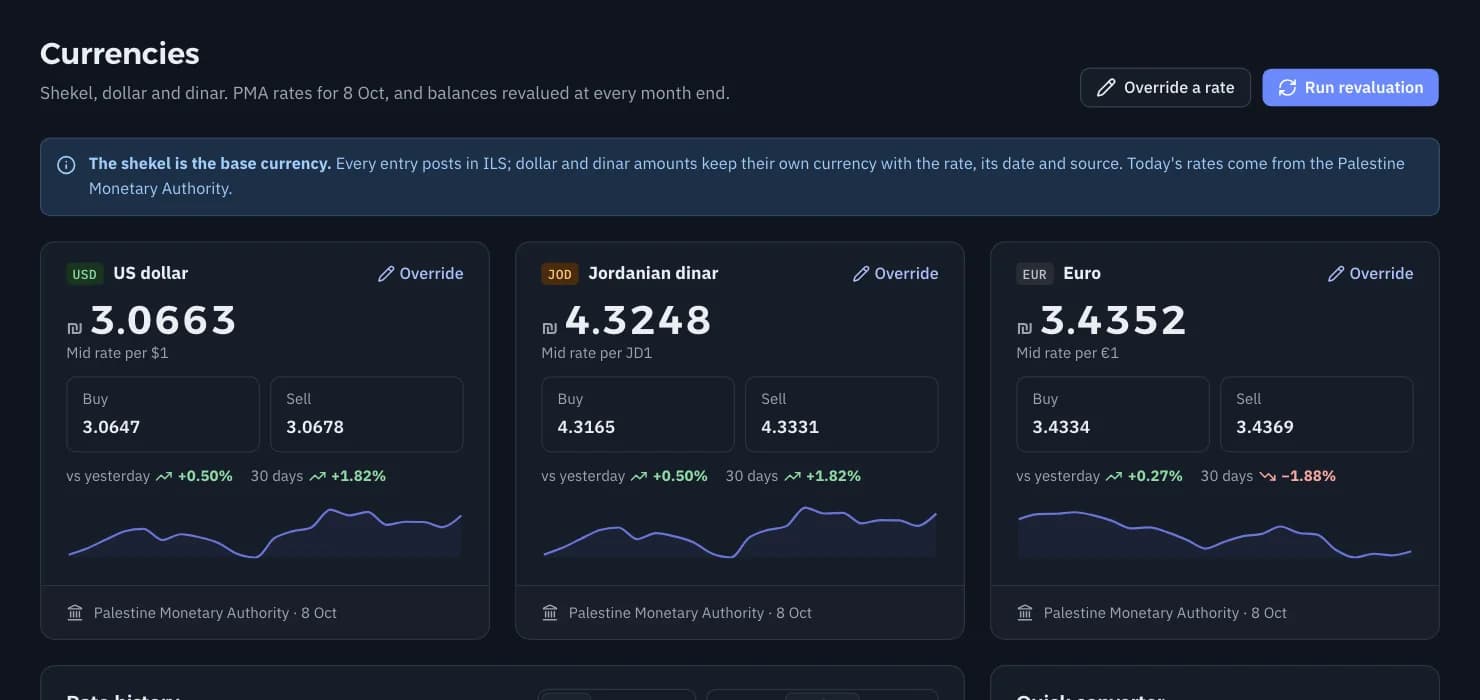
Shekels, dollars and dinars on every document

Every invoice and voucher in its own currency with its rate and rate date. The PMA rate comes in by itself, and currency differences are revalued at month end.

Shekels, dollars and dinars on every document

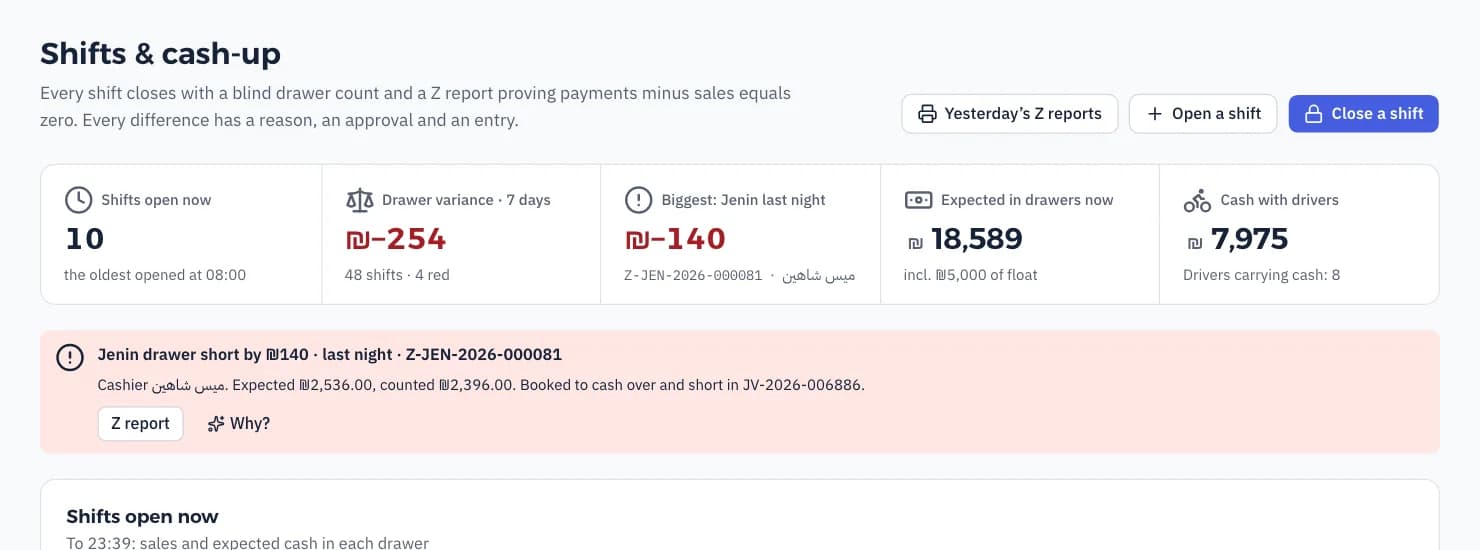
Branches and shifts

Profit per branch after shared costs, till differences with a name on them, drivers' cash, and transfers from the central kitchen.

Branches and shifts

Snap the invoice, done

A supplier invoice, a receipt or a bank statement, as a photo on WhatsApp. Shihab reads the fields and marks them, and you approve.

Bank reconciliation

Statements from Excel, PDF or a photo. Shihab matches them to the books with rules you write as plain sentences.

Books an accountant signs

Double entry, posted entries never change and corrections are reversals, period locks, an audit trail for every change, and the right to approve is separate from the right to post.

Stock and food cost

The cost of every dish from its recipe, counts and waste per branch, and your food cost percentage every day.

Your books in your pocket

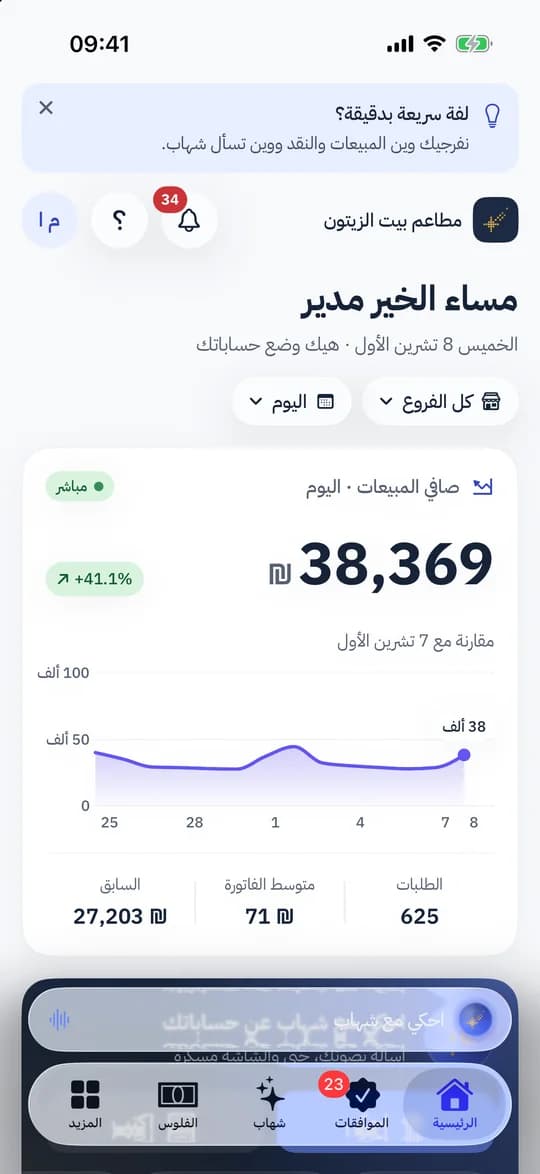
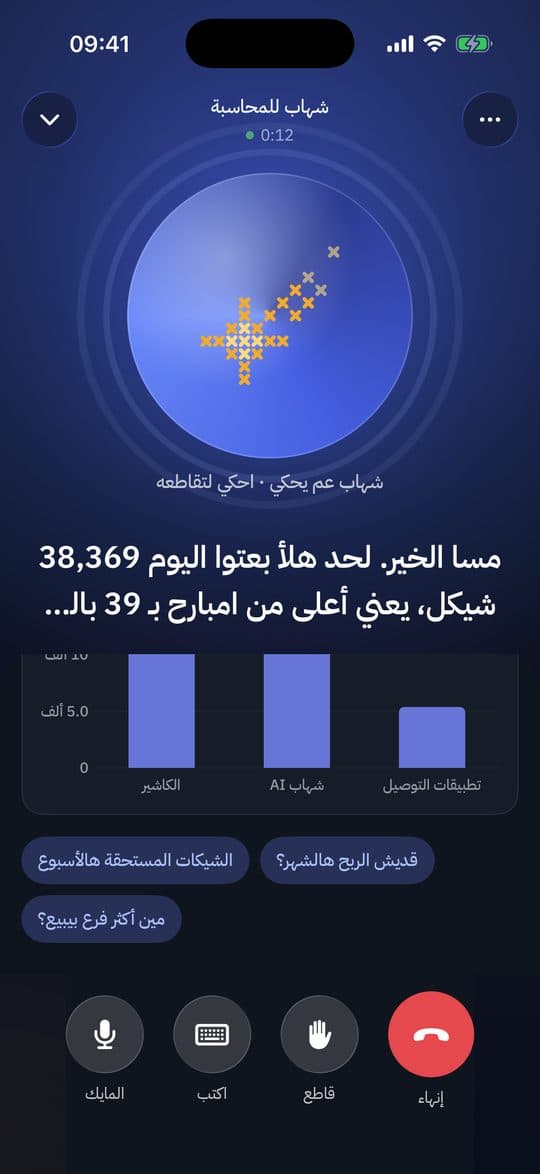
The Shihab Accounting app for iPhone and Android: today's and this month's numbers, cash in every till and bank, alerts, and approvals in one tap. And «Talk to Shihab»: a voice conversation about your accounts.

  • Net sales live, per branch
  • Approve a payment or an expense from the notification
  • Ask out loud and see the answer as a chart
iPhoneAndroid
The Shihab Accounting iPhone app: today's net sales, orders and average ticket
Talk to Shihab: a voice conversation about the accounts with a chart of sales by channel

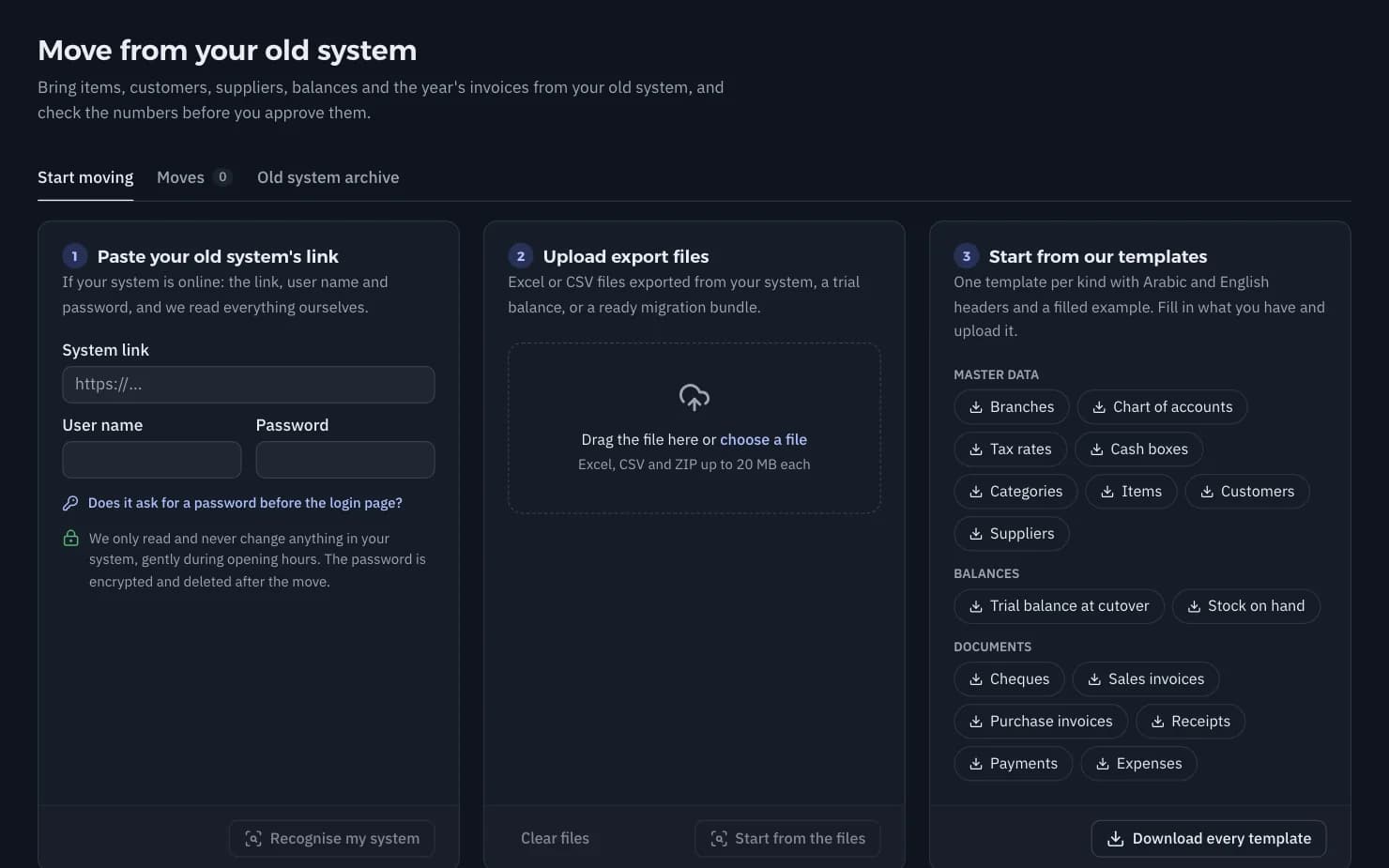
Moving from your old system

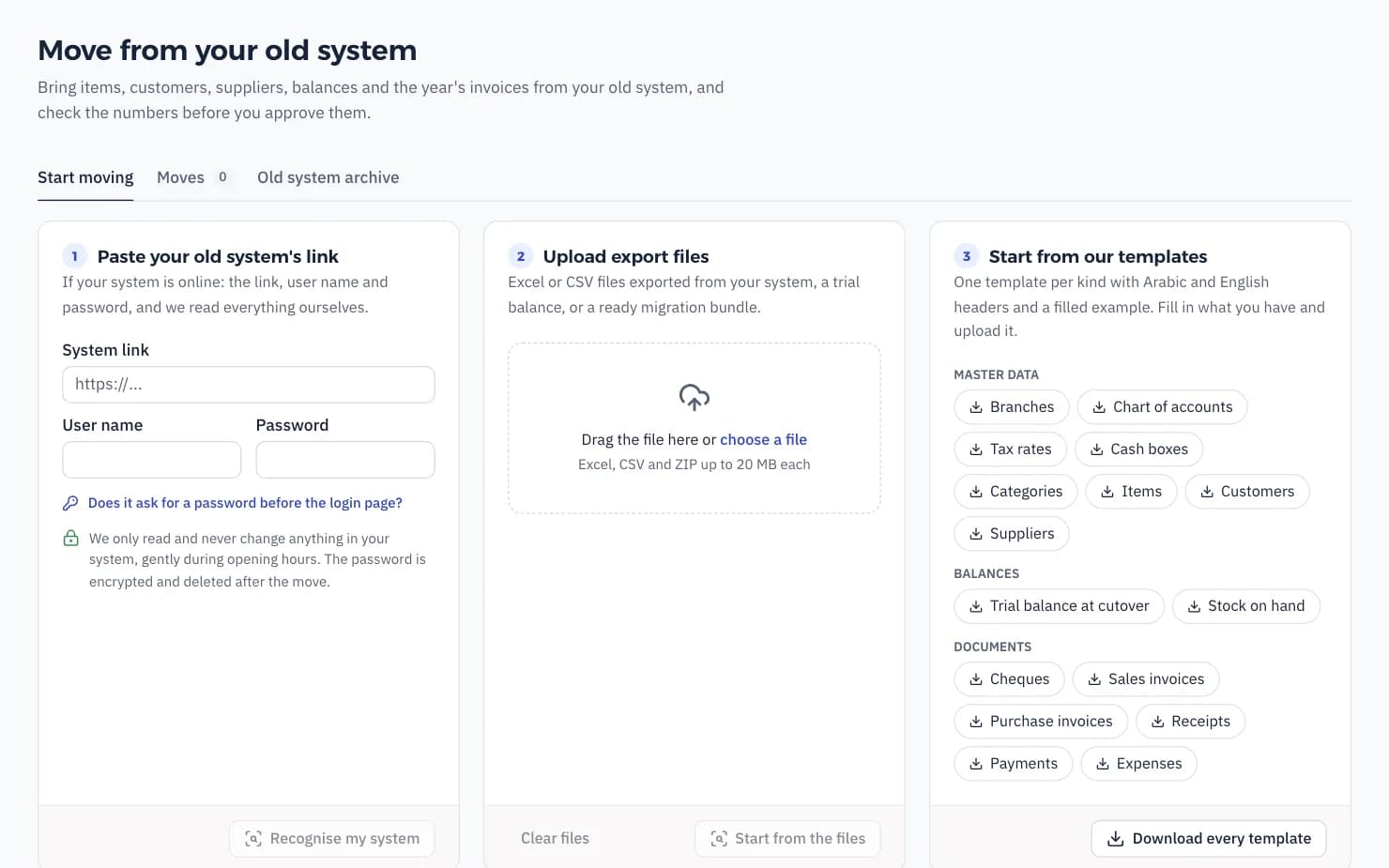
You do not start from zero. We bring items, customers, suppliers, balances, open cheques and invoices, and your old data stays with you.

  1. Connect your system or upload its files

    A read-only link to your old cloud system, or Excel files from any programme.

  2. Match accounts and items

    Shihab proposes where every account and item goes in the new chart, and you or your accountant confirm.

  3. Review the migration report

    Totals before and after side by side: balances, invoices, cheques and stock.

  4. Start on the first of a month

    Run both systems together for a month, and sign off when the trial balances agree.

Talk to us about moving
Moving from your old system: the data brought over and the matching report

For accounting offices

A free office workspace with all your clients: who closed the month, who owes VAT, and which invoices are missing. Ask for a missing receipt from inside the product, and the owner sends it as a photo on WhatsApp.

Registered

Sign up your office and certify one person

  • A free office workspace for all your clients
  • Two free companies for the office's own books and training
  • Your office in the partner list

Silver

5 paying clients

  • 25% off when the office bills the client, or 20% recurring commission when we bill
  • Free migration for the first 10 clients
  • A priority WhatsApp support line

Gold

20 paying clients

  • 35% off or 25% commission
  • Reports and invoices with your office's name
  • A named Shihab contact, and joint workshops in your city

Certified Shihab Accountant

A free two-day course for partners: the posting model, cheques, the VAT return, shift close and moving from old systems.

The owner always owns the data: they can remove an office at any time, and exports are always available.

Register your office

How it differs from what you know

Compared by kind of tool, not by company name.

FeatureShihab AccountingDesktop accounting programmeGeneral cloud accounting appSpreadsheet and notebook
WhatsApp, Messenger, Instagram and phone orders book themselvesIncludedTyped by handNot includedTyped by hand
A till and kitchen printing in the same systemIncludedDepends on the programmeA separate till appNot included
The full post-dated cheque lifecycleIncludedDepends on the programmeRarelyTyped by hand
ILS, USD and JOD on every documentIncludedIncludedOften on dearer plansTyped by hand
The Palestinian VAT return and clearance invoicesIncludedDepends on the programmeBuilt for other countries' taxesTyped by hand
A phone app and a daily WhatsApp summaryIncludedNot includedAn app, no summaryNot included
Ask your books in dialect, out loudIncludedNot includedIn formal Arabic or EnglishNot included
Works anywhere, nothing to install or updateIncludedOn the office computerIncludedA file on one computer
PriceFrom ₪49 a monthA licence plus yearly maintenanceIn dollars or riyalsFree, but it costs your time

Clear prices in shekels

Every plan includes cheques, all three currencies, the audit trail and accountant access. Start with 14 days free with every feature, no card.

Billing period
14 days free with every feature · no card · cancel any time
  • Micro

    Exempt dealers and sole traders

    ₪49a month
    ₪490a year

    You save ₪98

    • 1 branch and 2 users, your accountant free
    • Invoices, expenses, cash, banks and cheques
    • Shekels, dollars and dinars
    • The exempt dealer's annual report
    • 50 receipt captures a month
    Try Micro freeTry Micro free
  • Basic

    Licensed dealers with one site

    ₪99a month
    ₪990a year

    You save ₪198

    • Everything in Micro
    • VAT return and invoice bank
    • Clearance invoices
    • AI bank reconciliation
    • 4 users and 200 captures
    Try Basic freeTry Basic free
  • Made for restaurants

    Business

    Restaurants and shops with up to 3 branches

    ₪199a month
    ₪1,990a year

    You save ₪398

    • Everything in Basic
    • Shifts, cash-up and drivers
    • Shihab AI and POS sync
    • Branch P&L and the daily summary
    • 10 users and 600 captures
    Try Business freeTry Business free
  • Group

    Groups with up to 6 branches and a central kitchen

    ₪349a month
    ₪3,490a year

    You save ₪698

    • Everything in Business
    • Central kitchen and transfers
    • Channel profitability and budgets
    • Approvals by amount and an API
    • Unlimited users and 2,000 captures
    Try Group freeTry Group free

Prices exclude VAT. Your accountant never counts as a user, on any plan.

Extra branch on Group: ₪39 a month · 100 extra receipt captures: ₪10

Compare the plans in detail

Common questions

Do I need Shihab AI?

No. Shihab Accounting works on its own for any restaurant, shop or company. If you have Shihab AI, orders from WhatsApp, Messenger, Instagram, the ordering page and phone calls land in the books by themselves.

Does it know Palestinian VAT?

Yes. The monthly return in the official order, clearance invoices, the invoice bank export, Arabic tax invoices with the amount in words, and the tax calendar. Your accountant reviews and files.

Can my accountant work in it?

Yes, and accountant access is free on every plan and never counts as a user. Accounting offices get an office workspace with all their clients.

How do I move from my old programme?

Connect your old system or upload its files, and we bring the chart, balances, customers, suppliers, open cheques and invoices. You start on the first of a month and run both systems together for a month until the trial balances agree.

Can I work in dollars and dinars?

Yes. Shekels, dollars and dinars on every document and in every plan, with the rate, its date and its source.

Does Shihab post entries by itself?

No, only through a rule you wrote. Shihab reads, proposes and prepares, and you or your accountant approve. Everything it does is written to the audit trail.

Where is my data, and who sees it?

On servers we run ourselves, over encrypted connections. Each user sees what their role allows, and a branch manager sees only their branch. The data is yours, and you can export it at any time.

What happens after the 14 days?

You pick a plan and pay by card, monthly or yearly. Your books stay exactly as they are.

Can I cancel or change plans?

Yes, any time from the subscription page. A cancellation takes effect at the end of the paid period, and an upgrade is immediate.

Is there a phone app?

Yes, for iPhone and Android, with «Talk to Shihab» by voice. Every screen of the web app works on a phone too.

Let your books write themselves

14 days free with every feature, no card. Your accountant joins free.

Have an account? Log in